
https://play.google.com/store/apps/details?id=com.droidactor.koreametro
A trip from Seoul to Busan can mean looking for another subway app before you arrive. Dotori Korea Metro is a subway map app for Android. It puts the Seoul metropolitan area, Busan, Daegu, Daejeon and Gwangju in one place. A November update added Daejeon, so five Korean subway regions now share one app. Choose a region, explore its map, search for stations and check a route. Your recent stations, favorites and recent routes stay separate for each region.
Choose the region for your next trip
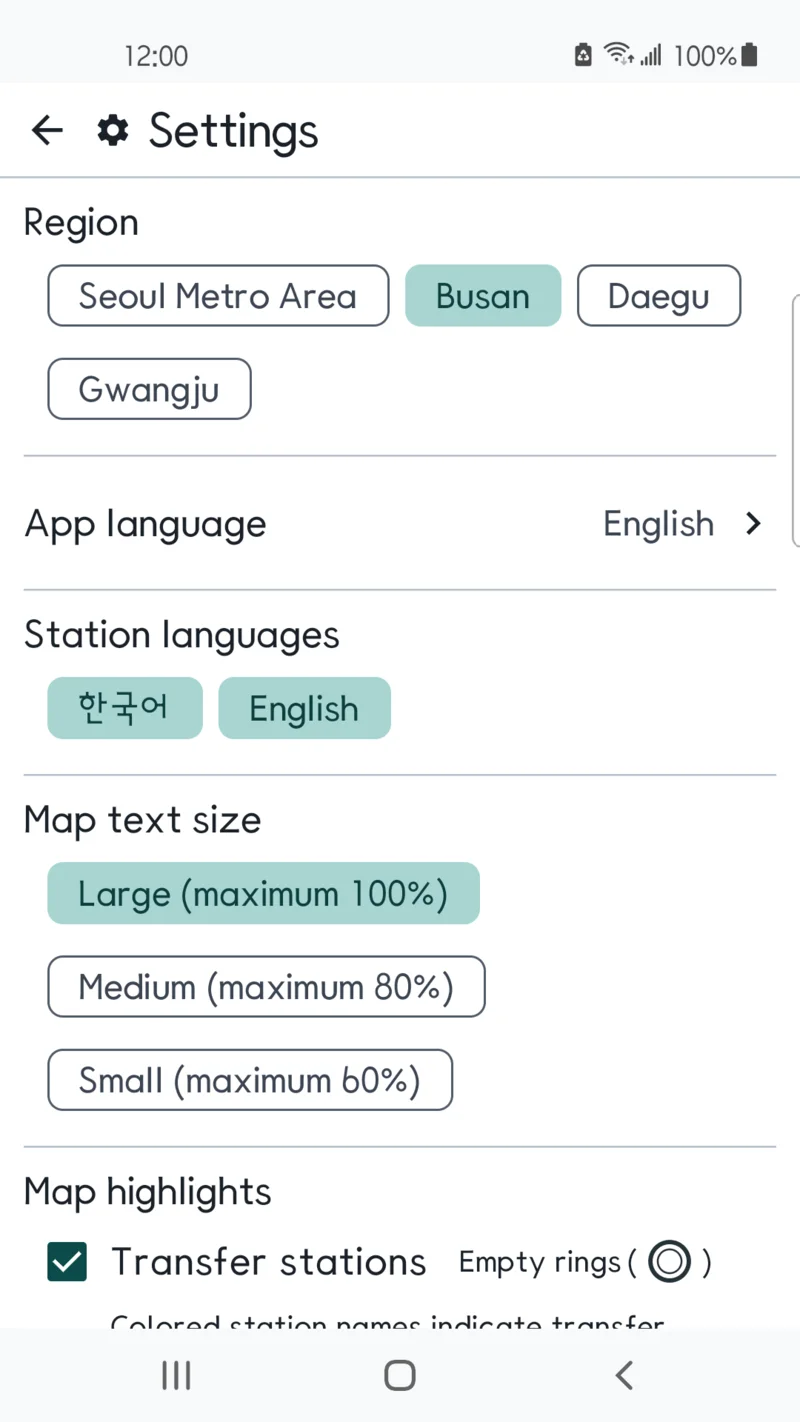
The first launch opens the Seoul metropolitan area. Use the region buttons above the map or at the top of Settings. Switch to Busan, Daegu, Daejeon or Gwangju to load that region's subway map. The app remembers your last choice for the next launch. A change in your location does not automatically change the selected region.
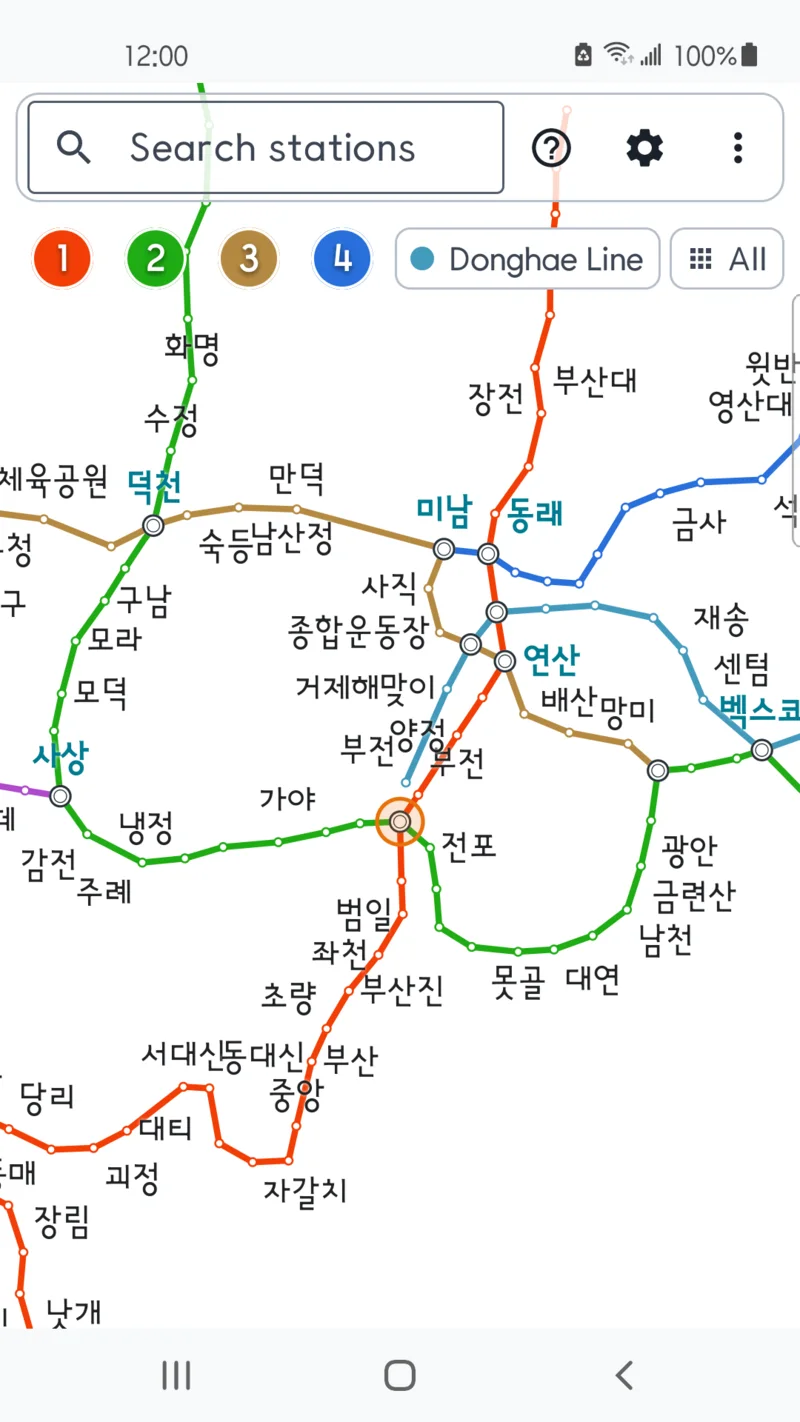
For example, choose Busan before you arrive and check the Busan subway map around Seomyeon. Taking the KTX to Daejeon Station? Select Daejeon and look over Line 1 on the Daejeon subway map. When your Korea travel ends, select the Seoul metropolitan area again.
Language, theme and map text size apply across the app. You do not need to repeat those preferences for every region.
- Choose a region above the map or in Settings.
- Zoom the map or search for a station.
- Set departure and arrival stations to check a route within that region.
- Save a station as a favorite if you want to find it again.
Keep familiar stations in their own region
Stations you look up in Seoul do not get mixed into your Busan list. Recent stations, favorites and recent routes are saved separately for each region. Switch away from Busan and return later to find its saved items again. Records are stored on your device.
Dotori Korea Metro is a separate app. The existing Dotori city apps remain available. Their saved records are not imported automatically. You can keep using a city app or use this app to switch between the five supported regions.
Explore bundled maps and routes offline
The app includes the basic maps and routing data for all five regions. Opening the Daegu subway map or the Gwangju subway map for the first time needs no extra download. With no connection, you can still zoom the bundled offline subway map. You can also find a station and check a route.
The Seoul subway map has many lines, so zoom and pan to the part you need. Station search accepts Korean names and initials, English and available translated names.
You can display Korean station names alongside your selected language. You can also open a large Korean station name card. If a translated name is unavailable, the app falls back to English.
Check the information available for each region
One app does not mean identical information in every region. Timetables, first and last trains, fares and facilities appear where data is available. Seoul-area route times exclude the first boarding wait, transfer waits and express services. Some transfers also lack a walking-time value. Check the coverage information with the result.
Daejeon provides a subway timetable for each of its 22 Line 1 stations. It lists weekday, Saturday and holiday departures, plus first and last trains and published fares. Busan, Daegu, Daejeon and Gwangju use reviewed stopping and transfer connections for routing. Unverified travel times and distances are not filled in. The app does not provide real-time arrival information. Check operator notices and station announcements for actual service changes.
Start without granting location access
Location access is optional. If allowed, it helps find a nearby station within your selected region. Without a usable location, the map starts at that region's default station. You can still search and set departure and arrival stations manually. Location coordinates are not saved or included in ad requests.
The app includes banner ads. Official fare and facility lookups and some additional functions need a connection. Dotori Korea Metro is an independent app and does not represent a transport operator. See the product guide for coverage and privacy details.
Open Dotori Korea Metro on Google Play and choose the region for your next trip.

No comments:
Post a Comment